Chitubox and PrusaSlicer are the two leading software applications used to prepare 3D resin models (SLA/MSLA) for 3D printing. They work in completely different ways: CHITUBOX is a dedicated, closed-source resin ecosystem, while PrusaSlicer is a multi-technology, open-source tool. This post compares their core slicing features, advanced tools available in their Pro/Expert version, and printer compatibility to help you determine which slicer fits your workflow best.
What is Chitubux?
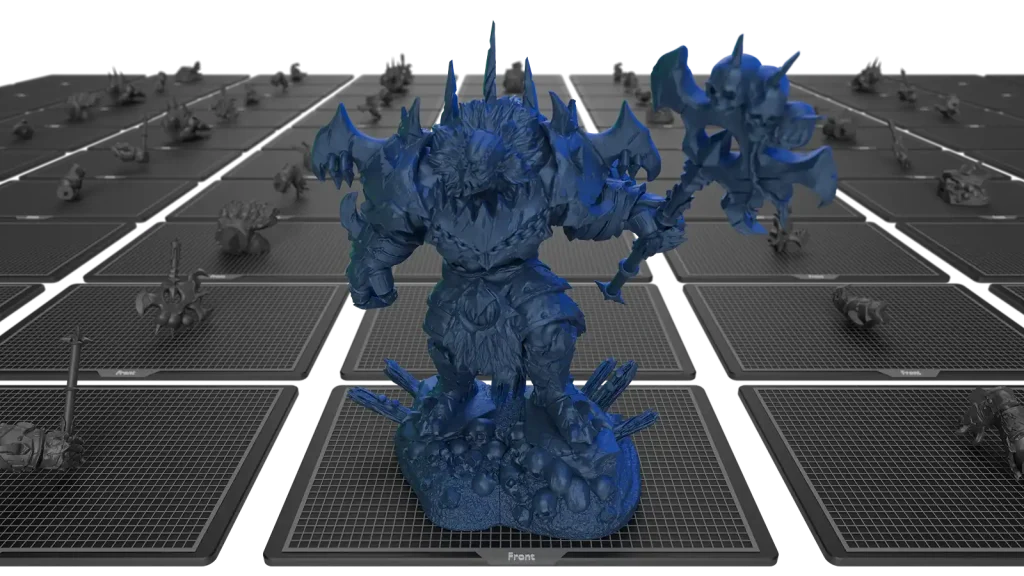
Chitubox is a popular, dedicated & closed-source slicing application developed by CBD-Tech, specially designed for resin 3D printers.. It is the dominant software in the consumer resin market because most printers from brands like Elegoo and Anycubic use the proprietary file formats (.ctb, .cbddlp, etc.) that Chitubox natively exports. Its focus is entirely on the resin printing process (SLA/DLP/LCD).
It includes highly effective tools for automatic and manual support generation, model hollowing to conserve expensive resin, and drain holes to allow uncured resin to escape. It also lets you control print settings such as exposure time, lift speeds, and anti-aliasing for fine-tuning surface finish and print success across a wide array of resin printers.
What is PrusaSlicer?
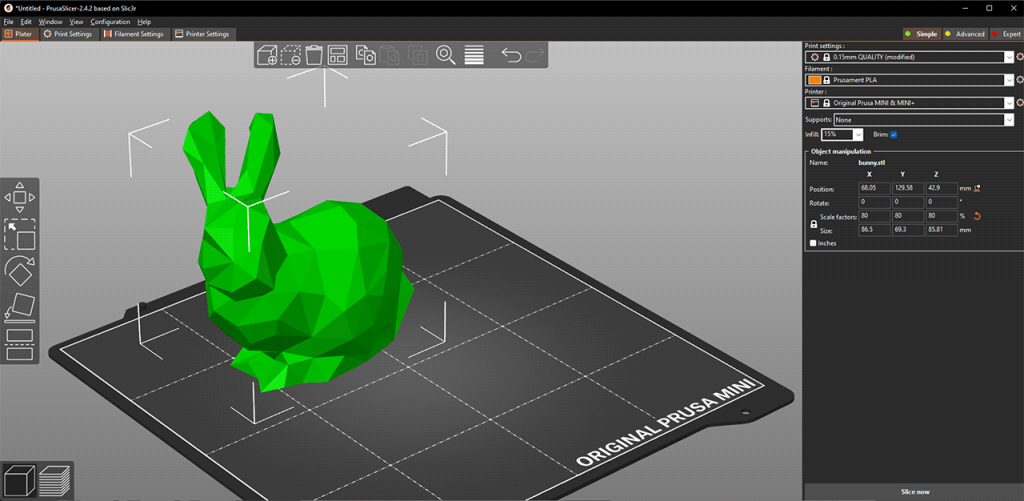
PrusaSlicer is a free, open-source slicing application developed by Prusa Research, primarily for their FDM (Fused Deposition Modeling) 3D printers and also for SLA (Resin) 3D printers. It includes robust, feature-rich tools specifically designed for their own resin printers (SL1/SL1S).
It’s highly praised for its organic supports (Tree Supports) for FDM and resin, and Pain-on Supports, which give you precise control over where supports are placed on the model. Also, it offers advanced features like variable layer height to combine speed and detail, and options for infill patterns. It also comes with a multi-mode interface, Simple, Advanced, and Expert, for users of all experience levels.
Core Slicing Features in Basic Version
Model Preparation & Manipulation Settings
Chitubox Basic and PrusaSlicer (MSLA Mode) come with the essential tools for model manipulation, like scaling, rotating, moving, and collision detection. They both have options for automatic and manual build plate layout. Also, both slicers allow full configuration of essential print settings, such as layer exposure time, layer height, lift/retract speeds, and light-off delay. PrusaSlicer uniquely requires the user to select the MSLA mode when setting up the print environment.
Hollowing Tools & Internal Support
Chitubox Basic is superior in hollowing. It is widely considered to have a more user-friendly and robust function for setting precise wall thicknesses, whereas PrusaSlicer’s function is more standard and less specialized. Additionally, Chitubox Basic includes basic Lattice Infill options, which are necessary for supporting large hollowed models internally. For draining uncured resin, both programs include a simple manual tool for placing drainage holes.
Support Generation
PrusaSlicer is liked for its more accurate Automatic Supports. Its algorithm is more effective at minimizing islands. Chitubox Basic’s Automatic Supports require more manual cleanup and are less reliable by default. Both slicers have manual support editing tools and profile management for customized support.
Anti-Aliasing
Chitubox Basic comes with anti-aliasing and grayscale settings that are necessary for smoothing the visible pixel lines. PrusaSlicer also has anti-aliasing, but its controls are less detailed than the Chitubox.
Advanced Features in Pro/Premium Subscriptions
Chitubox Pro comes with many advanced features, which are as follows:
- Advanced Support Generation:
- Magic Supports: A refined, multi-step automated support generation system designed for complex, organic models.
- Symmetrical Supports: A unique tool for creating mirrored support structures on symmetrical objects, ensuring balanced stability.
- Tree & Branch Supports: Dedicated, highly customizable support styles, similar to the organic structures found in PrusaSlicer.
- Multi-Parameter Slicing: It’s a powerful feature that allows users to define different settings (like exposure time or lift speed) for specific height sections, cross-section areas, or even individual models in a single print job, optimizing material use and print quality.
- Model Repair and Refinement:
- Advanced Repair Toolset: Comprehensive tools for fixing severe model errors, including correcting flipped normals, closing complex holes, and mesh simplification.
- Auto Orientation: An algorithmic tool that automatically suggests and applies the optimal print angle to minimize surface area and supports needed.
- Boolean Operations: Tools for combining meshes (Union) or subtracting one model from another (Difference) directly within the slicer.
- Connectivity & Hollowing Control:
- ChituManager/Network Sending: Functionality to enable LAN network connectivity for sending slice files directly to compatible printers.
- Advanced Hollowing: Provides options to select and keep internal cavities intact after hollowing, useful for internal structures or pre-slotted components.
- ChituAction: Scripting capability to automate repeatable workflow steps, streamlining batch processing.
PrusaSlicer Expert Mode
PrusaSlicer has an Expert mode that unlocks all available settings and features, which are as follows:
- Organic Support Structures:
- Tree Supports: PrusaSlicer is famous for its Organic (Tree) Supports, which are highly efficient, require less material, and are easier to remove, leaving minimal marks on the final print surface.
- Paint-on Tools: The Paint-on support tool allows you to brush areas precisely where supports are desired or blocked. The Seam Painting tool helps control the location of the print seam.
- Custom Blockers: You can also import custom meshes to act as precise support blockers or enforcers.
- Advanced Model Import & Editing:
- CAD File Import: PrusaSlicer allows you to directly import professional CAD formats like STEP and SVG.
- Model Modification: It includes direct Text Embossing and Cutting tools, allowing for basic model modification without returning to external CAD software.
- Advanced Ecosystem Integration:
- Prusa Connect: It has full integration for remote print monitoring, farm management, and file export, especially with Prusa’s own hardware.
- Multi-Bed Projects: The ability to manage complex print projects on up to 9 virtual build plates, simplifying batch production.
- Expert Settings: It provides complete access to every FDM and MSLA parameter, and with color-coded safety warnings, which is perfect for highly experienced users and profile developers.
Printer Compatibility & Resin Profiles
Chitubox Printer Compatibility: It natively supports nearly all major third-party LCD printers like Elegoo, Anycubic, Voxelab, etc. It exports proprietary slice files into .ctb, .cbddlp formats that these third-party printers natively use.
Chitubox Resin Profiles: It features an Extensive Resin Profile Library that is pre-calibrated and supported through alliances like the Resin Material Alliance (RMA).
PrusaSlicer Printer Compatibility: It is optimized for its own SL1 and SL1S printers, exporting their native .sl1 or .sl1s formats. To use the files on most non-Prusa third-party printers like Anycubic, Elegoo, etc., the sliced file requires an extra step of converting the Prusa-format file into a Chitubox-compatible format using suitable tools.
PrusaSlicer Resin Profiles: It includes Prusa-tested profiles, but for non-Prusa printers, users have to rely on community calibration or create custom profiles for non-Prusa resins.
Pros & Cons of Chitubox
| Pros | Cons |
|---|---|
| It is compatible with the vast majority of third-party resin printers. | It requires a paid Pro subscription to unlock advanced features, like multi-parameter slicing. |
| Hollowing and Drainage hole placement tools are available in the free version as well, and are more reliable than PrusaSlicer. | The Basic version’s automatic support generation can be less reliable than PrusaSlicer. |
| It has superior Anti-Aliasing and grayscale masking controls for smooth surface finishes | Chitubox is strictly a resin slicer and offers no functionality for FDM printers. |
Its resin profiles are well-tested, pre-calibrated, and supported through RMA. | Chitubox is heavily reliant on its proprietary .ctb format, which can force a less flexible workflow. |
It gives you more granular and direct control over crucial resin printing parameters like exposure time, light-off delay, and lift/retract speeds within the print profile itself. |
Pros & Cons of PrusaSlicer
| Pros | Cons |
|---|---|
| It’s completely free and open-source | Its proprietary output format often requires conversion for non-Prusa printers. |
| It supports FDM, MMU, and Resin printing. | Its Hollowing and Drainage tools are less user-friendly than Chitubox’s. |
| It has highly efficient automatic island detection and Organic (Tree) support generation. | It exports files in its own format (such as .sl1 or .slm for resin), which may require an additional step for compatibility with non-Prusa resin printers. |
| It has the Paint-on support features for ultra-precise support customization. | The extensive range of settings in Expert mode can be overwhelming for beginners. |
| It has advanced features for FDM to increase print speed and quality (reducing ringing/ghosting) |
Conclusion
The choice between Chitubox and PrusaSlicer for resin 3D printing is simple and mostly depends on what printer you own. Choose Chitubox if you own a common, non-Prusa printer (like Elegoo or Anycubic). It’s the industry standard, offering native file compatibility and excellent basic features like hollowing and anti-aliasing for surface quality. It is the quickest, most reliable path to printing on most printers. Choose PrusaSlicer if you own a Prusa SL1/SL1S printer, or if you also do FDM printing. It is completely free, open-source, and has superior tools for support generation, especially the Organic (Tree) Supports. Using it with non-Prusa printers requires an extra file conversion step, but you gain powerful, free features.