Choosing the right slicer is one of the most critical steps in achieving a high-quality resin 3D print and minimizing failures. Chitubox by CBD-Tech is the standard, often integrated directly with the printer hardware. Now, the modern & independent Lychee Slicer by Mango3D presents a major challenge.
This comparison breaks down the core differences in features, user experience, and professional tools to help you determine whether the reliable, integrated workflow of Chitubox or the advanced, feature-rich environment of Lychee Slicer is the right fit for your printing goals.
What is Chitubox?
Chitubox is developed by CBD-Tech and is the foundational software for the current generation of resin 3D printing. It is frequently the native slicer for major brands like Elegoo and Anycubix. Its strength lies in deep hardware integration, reliable slicing stability, and a focus on core print quality. It provides essential basic features like model manipulation, hollowing, auto & manual support generation, island detection, etc., alongside advanced tools like anti-aliasing and multi-parameter slicing.
What is Lychee Slicer?
Lychee Slicer is developed by Mango3D and known for its user-friendly interface & broad cross-platform support. It prioritizes user experience, effective automatic support generation, and failure prevention. It provides essential basic features like model manipulation, hollowing, clear island detection, etc., alongside advanced tools like the Magic Button for quick optimization and intelligent failure detection like Suction Cup Detection.
Core Slicing Features in Basic Versions
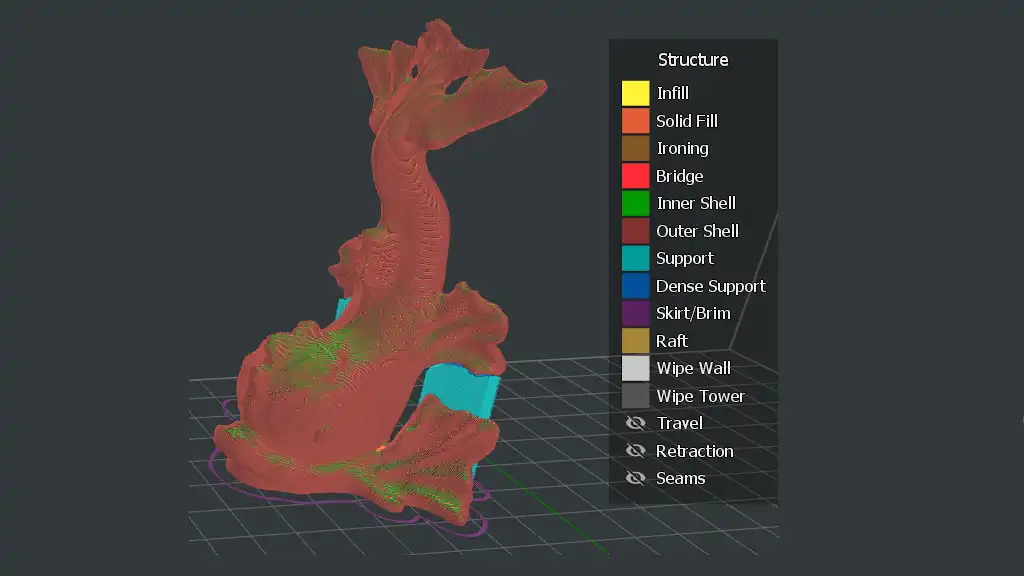
The free versions of both slicers offer all the essential tools required to get a print done.
Model Preparation & Repair
Both applications provide fundamental tools like rotation, scaling, hollowing, and arrangement. They also both include basic mesh repair to fix the common model issues. A core feature available in both is Island Detection, which highlights unsupported areas that will cause print failures. Lychee’s implementation is often praised for being visually clear and highly accurate.
Support Generation
The quality of automatically generated support is debated, but both Free versions offer auto-support generation and also manual support editing tools.
Lychee Slicer: It offers better support customization in its free version, including the ability to perform a drag-box selection function to select and edit groups of supports easily. It’s a popular feature to save time.
Chitubox: It also provides reliable automatic support placement, but typically requires more manual adjustment in its free version. Its support settings are powerful but less flexible than Lychee’s free version.
Anti-Aliasing & Compensation
Anti-aliasing is crucial for smoothing jagged layer edges. Chitbux has long been considered the leader in quality Grey0level Anti-Aliasing, offering a cleaner result for diagonal surfaces and fine details. Both provide basic features for compensating for resin bleed.
Slicing Features in Premium Versions
Advanced Hollowing & Draining
Lychee Slicer Plus offers Full 3D Hollowing and the industry-leading Suction Cup Detection tool. Suction cups are high-risk areas created by air-tight voids in the model; the detector visually highlights these flaws, allowing the user to place drain holes or use Hollowing Blockers to remove the vacuum risk before printing. Chitubox Pro provides advanced hollowing options, including Lattice Infill and Digging tools to remove internal material and create custom drainage channels.
Intelligent Support Tools
Both applications offer highly refined auto-support generation algorithms in their premium versions. Lychee Slicer Plus accelerates manual workflows with Support Projection, which allows the user to “paint” a surface and automatically fill it with a custom grid of supports, and Support Painting for fine-tuned support placement. Chitubox Pro emphasizes precise control through enhanced algorithms and the ability to directly link support settings to the Multi-Parameter Slicing system for dynamic support application.
Multi-Job Efficiency
Chitubox Pro’s flagship feature is Multi-Parameter Slicing (MPS). MPS enables users to apply different exposure times, lift speeds, and even layer heights to different sections or models on a single build plate (Per-Model, Per-Height, or Per-Cross-Sectional Area). This granular control is essential for complex engineering parts or production environments needing optimized speed and detail within one job.
Lychee Slicer Plus focuses on batch processing, offering Multi-Plate/Batch Printing for efficient preparation of large queues of models, alongside its integration with FDM slicing tools for a cross-platform workspace. Chitubox Pro also includes Remote/Network Printing capabilities.
Lychee Slicer Plus focuses on addressing common print failures through its powerful hollowing suite (especially the Suction Cup Detection) and advanced support placement tools like Support Projection and Support Painting.
Chitubox Pro focuses on print efficiency and quality optimization. Its flagship feature is Multi-Parameter Slicing, allowing users to apply different exposure times or lifting speeds at different heights or cross-sections of a single print—an important tool for complex engineering or massive prints.
Printer Compatibility & Resin Profiles
Both slicers support a vast array of LCD, SLA, and DLP printers from major brands like Elegoo, Anycubic, Phrozen, and many others. However, a key difference lies in the file format. Many printers built around Chitubox technology require the specific .ctb or .cbddlp format generated by Chitubox, which can create a workflow dependency if you rely on a non-Chitubox slicer to export the final file. Lychee handles a wide range of native formats, but some proprietary formats may require an extra utility like UVTools for final conversion.
Resin Profiles
Lychee Slicer: Lychee excels here due to its strong, community-driven database. Users can access resin profiles for hundreds of different resin and printer combinations, often including user-reported success statistics. This greatly speeds up the calibration process for new resins.
Chitubox: Chitubox relies primarily on officially released or verified resin profiles, offering a reliable but smaller selection of starting points.
Pricing & Subscriptions
Free Versions
Lychee Lite: This tier is fully functional but uses a restrictive model, including advertisements (often lasting 30 seconds or more) that appear upon export. This can be disruptive to the workflow.
Chitubox Basic: Chitubox Basic offers core functionality with no advertisements. The tradeoff is that many of the high-level quality-of-life features (like better auto-supports and advanced hollowing) are locked behind the Pro version.
Subscription Plans
Both offer monthly and yearly subscription plans.
Lychee Plus: It costs €9.99 per month or €99.90 per year. This tier removes ads and unlocks all the advanced support and hollowing features.
Lychee Library: An even higher tier (approx. €19.99/month and €199.90/year), which bundles Lychee Plus features with unlimited access to a library of pre-supported, certified models.
Chitubox Advanced: It costs approximately $9.99 per month or $79 per year for Advanced. This tier provides the most advanced Support parameters, slicing algorithms, mesh repair, and model manipulation.
Chitubox Pro: It costs $16 per month or $169 per year, which bundles Chitubox Advanced features plus batch support placement and the powerful multi-parameter slicing tool.
Pros & Cons of Chitubox
| Pros | Cons |
|---|---|
| It’s often the native or required slicer for major printer brands. | The interface is less streamlined than Lychee. |
| It has excellent Anti-Aliasing, consistently praised for superior anti-aliasing quality for smoother surfaces. | Dependency on its own file formats (.ctb, .cbddlp) can force a less flexible workflow. |
| It has high slicing stability and reliability, especially on complex or large models. | Essential quality-of-life features like good auto-supports and mesh repair are Pro-only. |
| It has Multi-Parameter Slicing, which is the Flagship feature for advanced users needing dynamic print settings on a single job. | Support editing tools in the free version are less flexible than Lychee’s free version. |
| It supports Multiple Window Usage, which is useful for managing batch preparation. |
Pros & Cons of Lychee Slicer
| Pros | Cons |
|---|---|
| It’s widely regarded as having a more modern, clean, and intuitive user interface. | The free version’s mandatory video ads before slicing are highly disruptive. |
| It has massive Community Resin Profiles with user success ratings, which speeds up calibration. | Chitubox’s anti-aliasing produces cleaner final results than Lychee’s. |
| It features Suction Cup Detection (Pro), an Industry-leading feature for preventing print failures. | It causes occasional stability issues with specific large models or printers. |
| It has advanced Support tools like drag-box selection and Support Projection to make support work faster. | It can be slower at scene loading and slicing large projects compared to Chitubox. |
| Its Magic Button is an excellent one-click starting point for model orientation and support generation. | The top-tier features come with a higher yearly price tag. |
Conclusion
The choice between Chitubox and Lychee Slicer comes down to your priorities as a 3D printer operator. Choose Chitubox if you prioritize reliability and hardware compatibility. It’s a secure and integrated standard, offering excellent anti-aliasing and the advanced Multi-Parameter Slicing for high efficiency production. Its free version is ad-free and dependable. Choose Lychee Slicer if you prioritize user experience, failure prevention, and community support. It has a modern interface, the time-saving Magic button, superior support, hollowing tools, and a massive community resin profile database. The best advice? Download the free versions of both. The one that fits your personal workflow and printer dependency will be the right tool for your 3D printing goals